
Most CMMS software is built for plants with a maintenance department. If you have a maintenance crew — three to thirty people, one planner who also turns wrenches, and a backlog living on a whiteboard — those systems are the wrong shape. You end up paying enterprise prices to ignore enterprise features.
We built MaintainFlow for the crew-sized plant. This post is a straight tour of what's inside — and, just as usefully, what we deliberately left out. If you'd rather poke at it yourself, the 30-day free trial is the whole product, no credit card, and it comes with one-click example data so you're not staring at an empty screen.
The loop: from "someone should fix that" to a closed record
Everything in MaintainFlow serves one loop, because that loop is maintenance management:
1. Work comes in. Anyone on the floor can raise it. Operators and supervisors get free requester accounts — their submissions land in an approvals inbox, where a planner approves them into real work or declines them. Nothing skips the queue, and nothing gets lost in a text message.
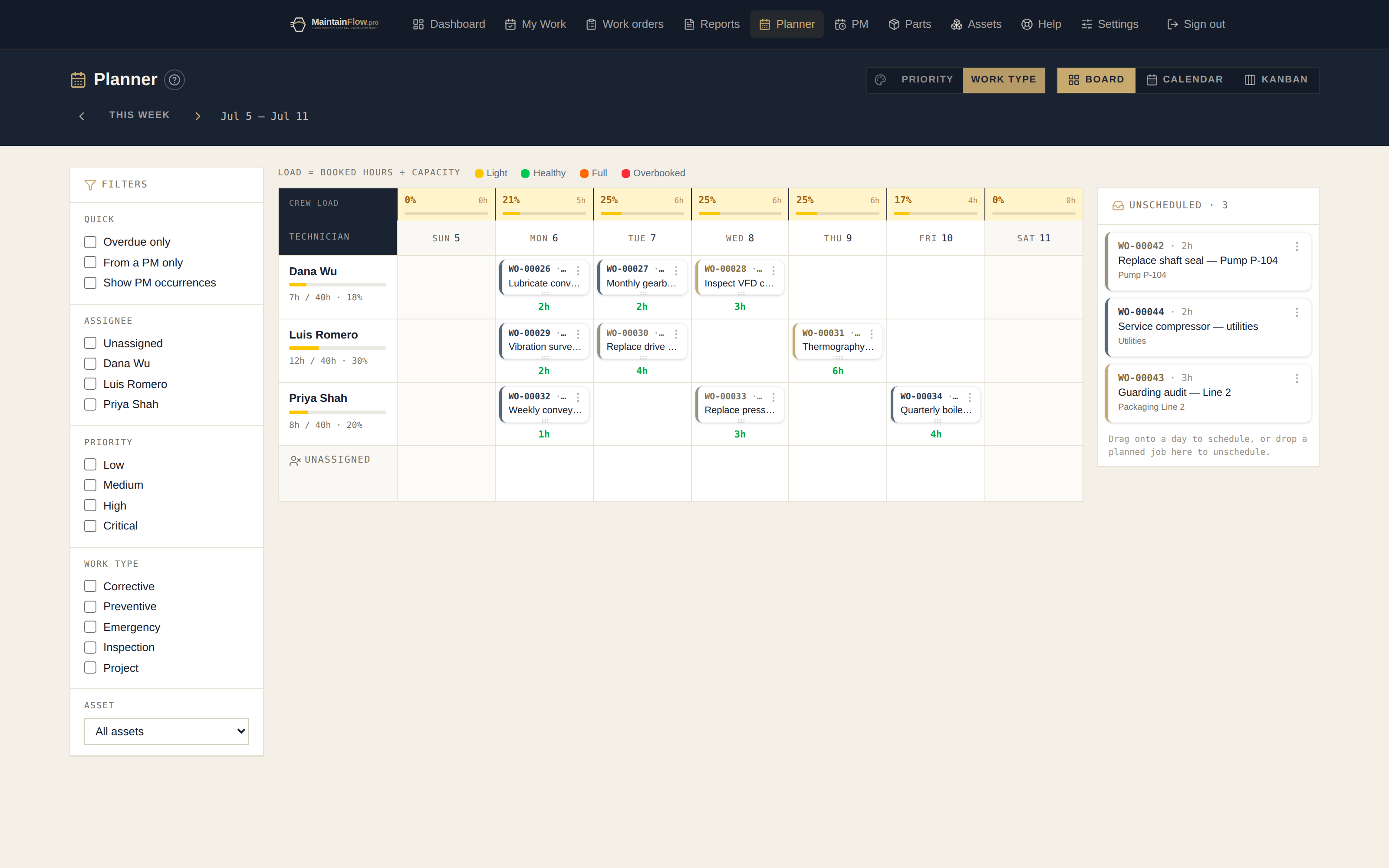
2. Work gets planned. Approved jobs go onto the planner board — technicians across, days down, with hour estimates against each tech's real capacity. Overbooked days flag themselves before Monday, not after Thursday falls apart. Drag a card to reschedule; the change saves as you drop it.
3. Work gets done. Technicians sign in to My Work — today's jobs first, on a phone. Start a job from the card. Work the checklist. Snap photos of the nameplate, the damage, the finished repair — the camera opens straight from the work order. Simple jobs close right on the card with hours and a note.
4. Work gets closed properly. Close-out asks for completion notes, labour hours, and — on breakdown work — a failure code. That's not bureaucracy; it's the thirty seconds that make the next step possible. A failed inspection check even raises its follow-up work order automatically.
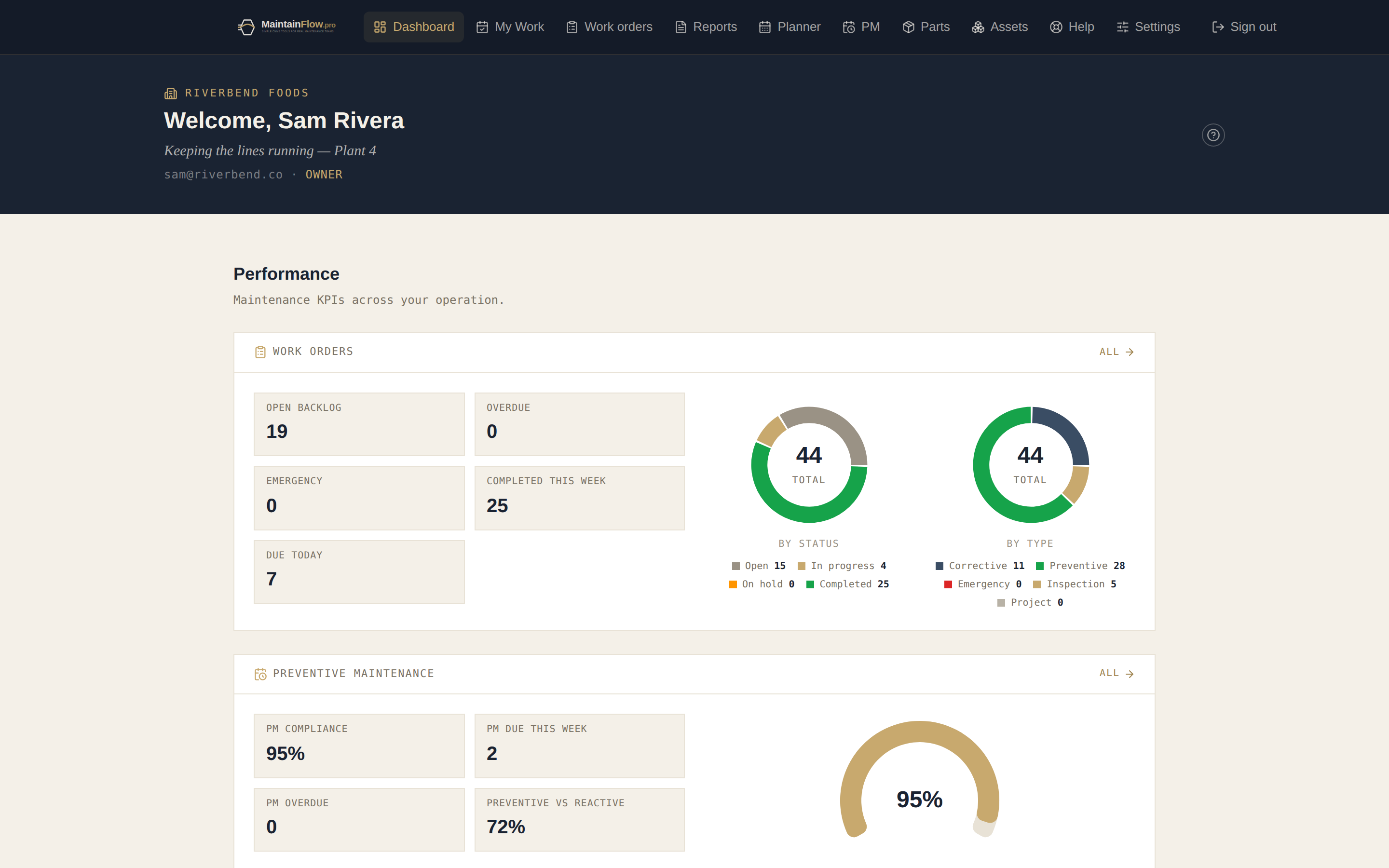
5. The numbers write themselves. Because closings carry hours, trades, parts, and failure codes, the dashboard computes PM compliance, MTBF, MTTR, backlog aging, and cost per asset with zero spreadsheet work. Month-end reporting is a print button, not a weekend.
The preventive side runs itself
Set a PM schedule once — asset, frequency, checklist, the parts to bring — and MaintainFlow raises the work orders on time, every cycle. Due PMs project onto the planner before they even generate, so the fixed workload is visible when you're placing everything else.
What it deliberately leaves out
Honesty matters more than a long feature list, so here's what MaintainFlow doesn't do:
- No purchase orders or vendor management. Parts tracking covers on-hand counts, reorder points, and issue history — the storeroom truth. Your purchasing can stay wherever it lives today.
No meter-based PM triggers (yet)Shipped — this one came off the list. PM schedules can now also trigger on usage: every 250 run-hours, cycles, or km — whichever comes first with the calendar. Technicians record the meter right in the work-order close-out, and a reading that crosses the interval raises the work order on the spot.- No twelve-step configuration project. There's nothing to configure that an afternoon can't finish — most teams enter their critical assets and first PMs the day they sign up.
- No per-module pricing maze. Everything above is in one product: $15/user for owners, admins, and managers, $10 for technicians, and requesters are free, unlimited.
If you need multi-site enterprise asset management with purchasing workflows and integration middleware — genuinely, buy that instead. If you need your crew to stop running maintenance from memory, this is the right shape.
What the trial actually looks like
The 30-day trial is the full product, not a demo tier:
- Create your workspace — company name, your name, email. No credit card, no sales call.
- Load the example data (one click) or add your first real asset — a getting-started checklist walks you through it.
- Invite your crew. Technicians get their own phone-first view; requesters are free.
- Run a real week on it. If the whiteboard is still better, delete the account and keep your data export.
Most teams know within one Monday-morning planning session whether it fits.
Ready to look around? Start your free 30-day trial — or if you're still weighing spreadsheet vs. software, grab the free Excel CMMS template first and upgrade when the workbook gets crowded.