
Open any OEM manual and the service schedule reads the same way: "Change oil every 250 operating hours or 3 months, whichever comes first." The manufacturer knows something a wall calendar doesn't — wear follows usage, not weeks.
Most small plants run their PM program on the calendar anyway, because that's what's easy to track. And for a machine that runs the same shift pattern every week, the calendar is honestly fine. But the moment usage varies, calendar-only PMs quietly fail in one of two directions:
- The over-serviced machine. The backup compressor ran 40 hours since its last "monthly" service. You changed its oil anyway — parts, labour, and a technician-hour spent on a machine that didn't need it.
- The under-serviced machine. Line 2 ran double shifts through a seasonal push and burned 600 hours in a month. Its "monthly" lubrication was three intervals of wear late — and that's the gearbox that fails at 2 a.m. in week six.
Meter-based PMs fix both at once: maintenance lands when the machine has actually worked enough to need it, with the calendar kept as a backstop, exactly the way the OEM manual specifies.
What you get out of it
- Right-sized maintenance spend. Lightly used equipment stops consuming PM parts and hours it doesn't need. Heavily used equipment stops waiting for a date on a wall.
- Fewer usage-driven failures. Bearings, belts, oil, filters — the failure modes that track run-hours get serviced on run-hours.
- Warranty compliance you can prove. If the manual says every 250 hours, your records show every 250 hours — with the meter reading logged on each work order.
- An honest picture of utilization. A reading history tells you what each machine actually runs per day — useful well beyond maintenance.
How it works in MaintainFlow
The whole setup is two fields, and it's included on every plan — including the 30-day free trial.
Step 1 — Enable a meter on the asset. On the asset's page, pick the unit (run-hours, cycles, km — whatever the machine counts) and enter the current reading. The asset page becomes the meter's home: current value, reading history, and the machine's real usage rate calculated for you.
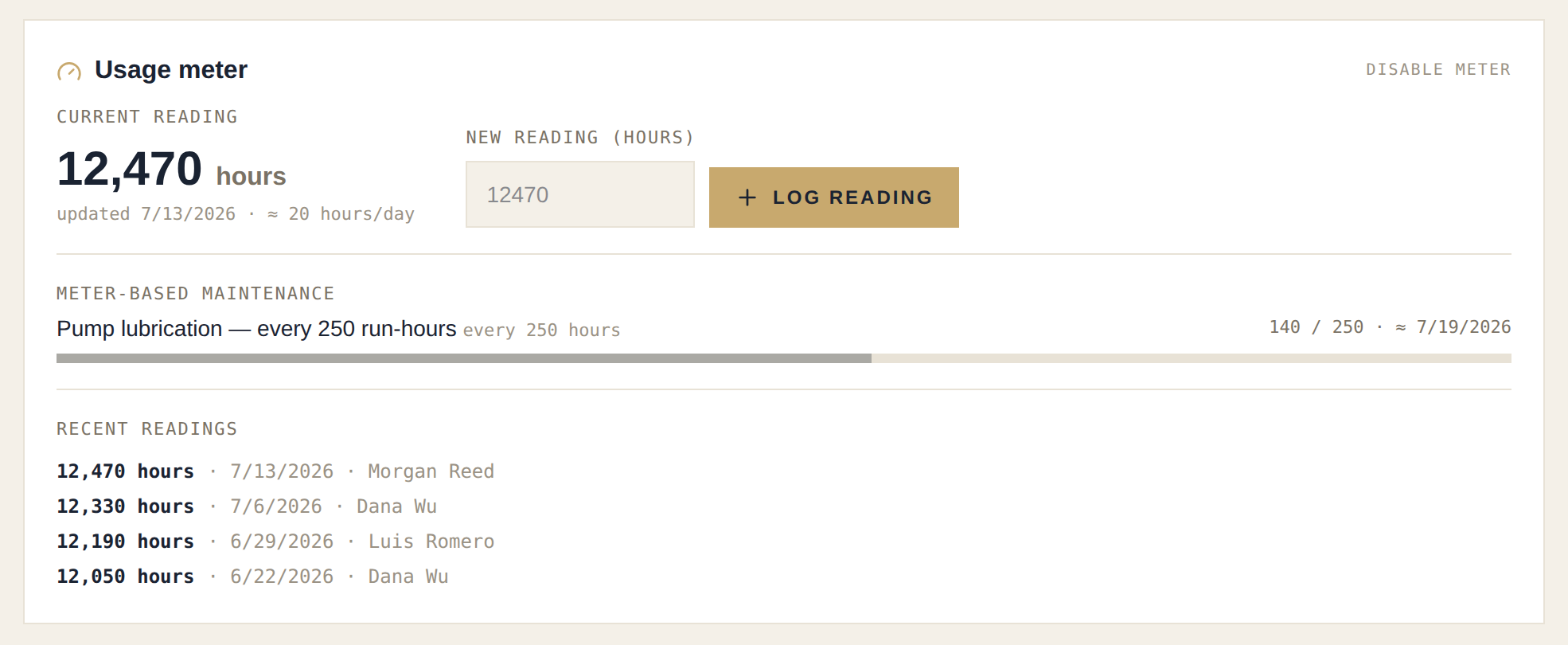
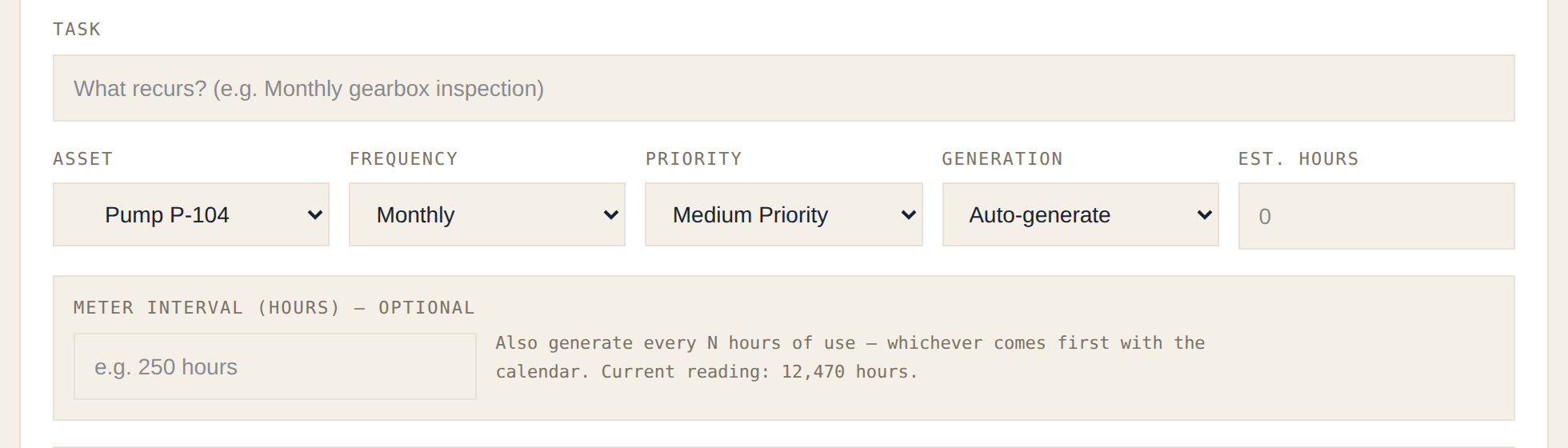
Step 2 — Put a meter interval on the PM. On any PM schedule for that asset, add "every 250 hours" beside the calendar frequency. From then on it's whichever comes first — the meter fires when usage crosses the interval, and the calendar leg still catches machines that sit idle. Completing the work re-anchors both, so nothing double-fires.
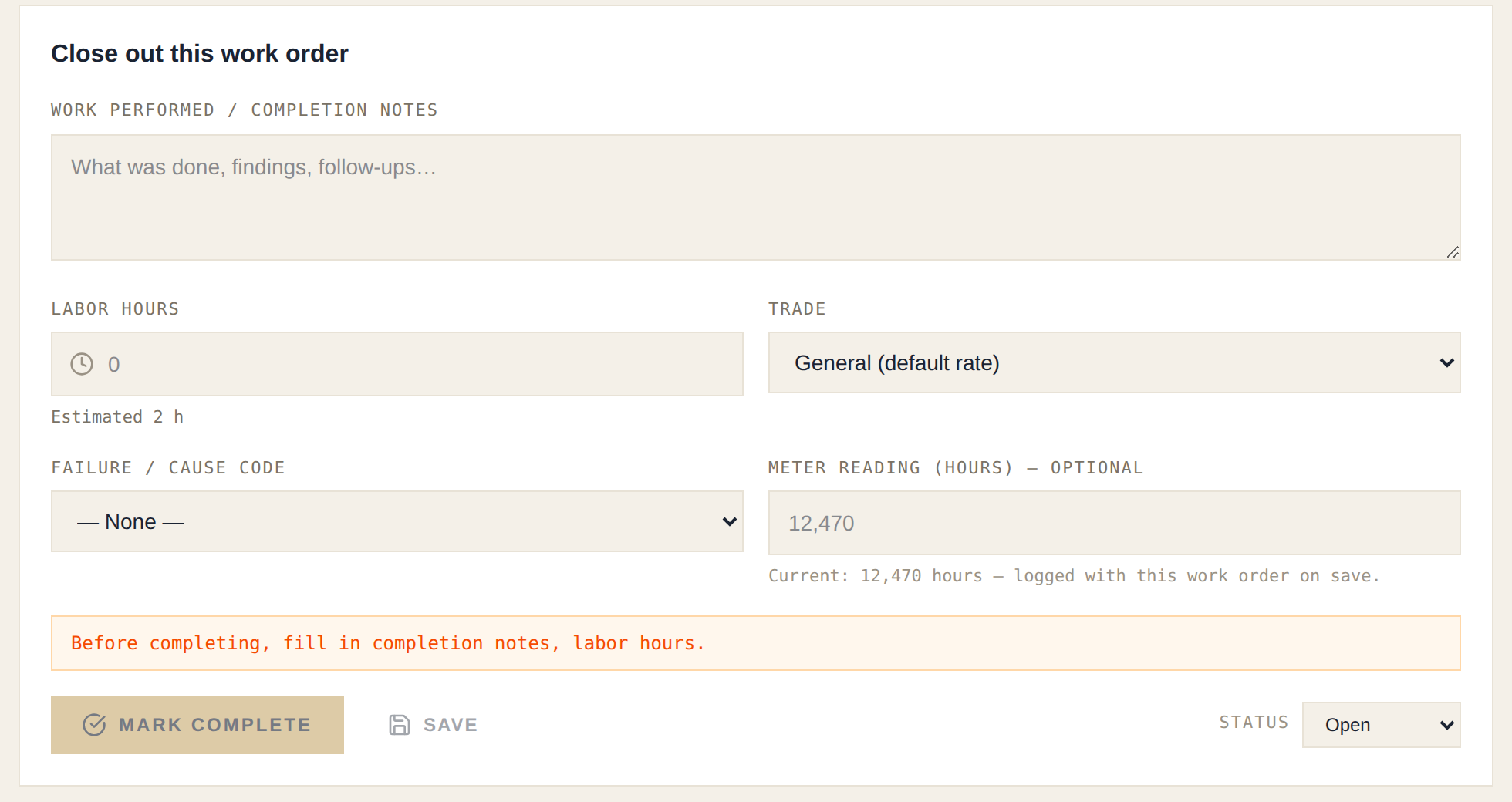
Step 3 — Log readings where your techs already are. This is the part that makes meter PMs work in real life instead of on paper. Every work order on a metered asset asks one optional question at close-out: what does the meter say? Your technician is standing at the machine anyway — recording the hour meter takes ten seconds, and every closed job keeps the program current. No clipboard rounds, no separate meter-reading job.
When a reading crosses an interval, the work order is raised on the spot — logged at 8:04, work order exists at 8:04, visible on the planner with the checklist and parts list attached. And because MaintainFlow knows each machine's burn rate, meter PMs still show a projected calendar date ("≈ due Jul 19 at current usage"), so next week's workload is visible on the planner board like everything else.
Where to start
Don't meter everything. Pick the two or three machines where usage actually varies — the compressor, the seasonal line, the forklift — and leave steady-state equipment on the calendar. That's 90% of the benefit for 10% of the effort, and it's exactly how the feature is designed to be used alongside calendar PMs.
Want to see it on your own equipment? Start a free 30-day trial — full product, no credit card. Enable a meter on one asset, put an interval on one PM, and let your techs log readings at close-out for a week. The schedule starts running itself.